I just want to motivate those who has Photoshop or other editing software out there to get it crackin'.
I know some of you have the program and is too intimidated by it.
Please don't be!
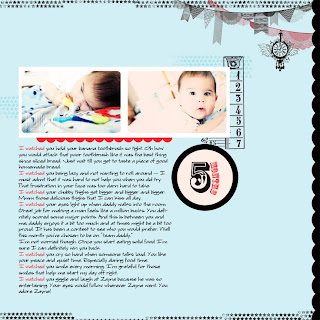
I love doing both digital and traditional scrapbooking.
Both have +s and -s.
I will share with you some of the pluses of digital scrapbooking.
1). everything matches - takes one click to get the color that you want instead of browsing through your own stash of thousand sheets of paper.
2). save $$$ - so you can buy more scrapbooking supplies. LOL No really there are tons of free brushes/stamps out there.
3). easy to share with friends & family
4). digital archive - it's nice not to have to scan each page
5). no mess - I don't know about you but cleaning isn't my favorite chore. My scrap room has small pieces of scrap paper everywhere. Oh and you don't have to mess with which kind of adhesive to use. I swear that alone saved me tons of time.
6). save time - you don't need to go through so many steps; i.e. printing out pictures, gather all of your supplies, try to coordinate elements, and etc.
I can come up with more advantages but It's almost midnight and my brain isn't functioning.
So get crankin' on those pages!
If you have the program, open it up and use it!
Trust me it's way fun and addicting once you dive into it.
If you want me to show you how to do certain things in Photoshop leave me a comment.
Have a wonderful night
and Happy early Thanksgiving!
Be safe!
I know some of you have the program and is too intimidated by it.
Please don't be!

I love doing both digital and traditional scrapbooking.
Both have +s and -s.
I will share with you some of the pluses of digital scrapbooking.
1). everything matches - takes one click to get the color that you want instead of browsing through your own stash of thousand sheets of paper.
2). save $$$ - so you can buy more scrapbooking supplies. LOL No really there are tons of free brushes/stamps out there.
3). easy to share with friends & family
4). digital archive - it's nice not to have to scan each page
5). no mess - I don't know about you but cleaning isn't my favorite chore. My scrap room has small pieces of scrap paper everywhere. Oh and you don't have to mess with which kind of adhesive to use. I swear that alone saved me tons of time.
6). save time - you don't need to go through so many steps; i.e. printing out pictures, gather all of your supplies, try to coordinate elements, and etc.
I can come up with more advantages but It's almost midnight and my brain isn't functioning.
So get crankin' on those pages!
If you have the program, open it up and use it!
Trust me it's way fun and addicting once you dive into it.
If you want me to show you how to do certain things in Photoshop leave me a comment.
Have a wonderful night
and Happy early Thanksgiving!
Be safe!


